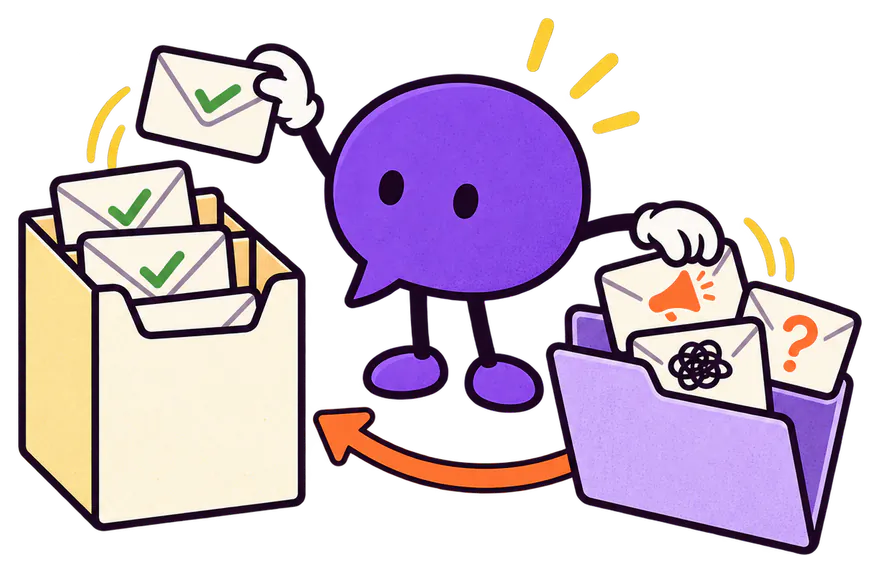
Repeat sign-ups, throwaway mailboxes, made-up domains, sales pitches, leads from countries you don’t serve: tell your agent what you don’t want, and Pageree holds it back before it reaches your inbox or CRM. Nothing is deleted. Release any submission in one click.
Works on every Pageree form, with the built-in spam check still in place.
An illustrative Invalid folder holding 5 submissions, each with the reason it was held back: Spam: a sales pitch; mailinator.com is a disposable email domain; gmial.con cannot receive email; Country US is not on the allow list; Already submitted on this form in the last 90 days. A Release button sits next to the visitor from another country.
Tell your agent what a lead you don’t want looks like. It sets the rules on your form. You can also add, edit and switch them off in the console.
02
Every submission is checked.
After the built-in spam check, each submission meets your rules. One that fails is held back, with the reason.
03
You stay in charge.
Open the Invalid folder to see what was held back and why. Release any submission that is real.
ASK YOUR AGENT
Add submission rules to the form on my landing page: only accept leads from Germany and Austria, hold back throwaway email addresses, and hold back messages that are spam or sales pitches.
Your agent adds three rules to the form and tells you what each one holds back. Your visitors notice nothing.
Ten checks, three kinds
Pick the rules your leads need.
Use one, or combine them on the same form. Each says what it catches and where it stops, so you know what to expect.
Instant checks
Included
They run in a fraction of a second, on every plan, with nothing to connect.
Repeat sign-ups
An email address already accepted on this form, or on any form in your account, in the last 90 days. Gmail’s dots count as one address, and so can +tags if you choose.
Good to knowPageree keeps a keyed fingerprint of each accepted address for 90 days, never the address itself.
Throwaway mailboxes
Addresses at mailinator.com and about ten thousand other disposable email domains, from a public list.
Good to knowA brand-new throwaway service can take a while to reach the list.
Made-up domains
Email domains that cannot receive mail: ones that do not exist, and typos like gmial.con.
Good to knowIt checks the domain, not the mailbox. To check the mailbox, add email verification.
Countries
Accept only the countries you serve, or hold back the ones you don’t, by the visitor’s location.
Good to knowVPNs move people, so a strict list can catch a real visitor. One whose country is unknown passes.
Email domains
Accept only addresses at the domains you list, or hold back the ones you don’t want. “edu” covers every address under .edu.
Good to knowUp to 300 domains in one rule. Subdomains count as the domain.
The AI message check
Included
It reads the message boxes on your form, with email addresses, phone numbers and links taken out first. Pick any of the three checks.
Spam and sales pitches
Mail-merge pitches, scams, gibberish, filler and self-promotion.
Good to knowSome fake invoices and advance-fee scams still get through. A refund request with bank details can look like a scam.
Swearing
Profanity, including masked, spaced and abbreviated words, in many languages.
Good to knowMild words and innocent words that contain a rude one pass.
Other languages
Messages not written in the languages you accept.
Good to knowMessages of fewer than three words always pass.
Your verification provider
Your provider’s credits
Connect the account you already have. Pageree checks each submission with it and adds no charge of its own.
Email verification
Mailboxes that do not exist, checked with your ZeroBounce, Kickbox, Emailable or Bouncer account. List up to three, tried in order. You can also hold back risky addresses: catch-all, role and disposable.
Good to knowEach check spends your credits with the provider. An address it cannot judge passes.
Phone verification
Numbers that are not real, checked with your Twilio or Veriphone account. You can also hold back line types such as VoIP, toll-free or premium numbers.
Good to knowEach check spends your credits. A number typed without its country code is read as the visitor’s country’s.
The Invalid folder
Held back. Never lost.
A rule can be wrong about a real person: a customer on a VPN, a typo, a message that looks like a pitch. So no rule ever deletes or refuses anything.
The visitor always sees success.
Your form shows its usual thank-you message, so a spammer never learns which rule caught them.
Held back, not deleted.
Held-back submissions wait 30 days in the Invalid folder, each with its reason. Release one and it is delivered within a minute, like any other lead.
An honest conversion rate.
A held-back submission is not counted as a conversion, so spam doesn’t make a page look better than it is.
A summary each morning.
One email lists what was held back the day before, page by page, with the most common reasons. Switch it off in the console.
A slow check never costs you a lead.
Checks that call out get four seconds in all. One that can’t answer in time, or fails, is skipped and the submission is delivered.
The AI message check, measured
How often it gets it right.
We tested the AI check before shipping it, on 512 synthetic test messages written before its final instructions were run. These are not customer messages, and your results will vary with what your form receives.
Check
Real messages held back
Unwanted messages caught
Spam
1.1%(4 of 375 held back)
91%(125 of 137 caught)
Swearing
0%(0 of 345 held back)
91%(31 of 34 caught)
Other languages
0%(0 of 371 held back)
100%(488 of 488 caught)
Everyday enquiries, bookings, complaints, job applications, messages in other languages and customers who swear: none held back as spam.
Spam that tells the model to call it clean is still caught.
Where spam goes wrong: a refund request with bank details, a customer asking whether a scam text was real, and an occasional genuine personal offer.
What it misses: some fake customers whose order is only behind a link, advance-fee scams, and blog-comment praise that is harmless to deliver.
A real message the check gets wrong is held back, not lost: it waits in the Invalid folder for you to release it.
Bring your own verification
Check the mailbox, not just the address.
A real-looking address can still bounce. Connect the verification account you already use, and Pageree asks it about each submission.
Email
ZeroBounce
Kickbox
Emailable
Bouncer
Phone
Twilio
Veriphone
✓
Add your key in the console, under Profile → Verification providers. Only the account owner can, and your agent never asks for it in the chat.
✓
Pageree tests the key with the provider before saving it, stores it encrypted, and never shows it again: you see its last four characters.
✓
Each check spends your credits with your provider. Pageree sells no credits and adds no charge.
✓
If a provider fails, the rule tries the next one in your list. If none answers, the submission is delivered and you get an email, at most once every half hour.
Privacy
Only what each check needs.
Repeat sign-ups are found with a keyed fingerprint of each address, never the address, kept 90 days. A visitor’s erasure request removes theirs.
The AI message check sends only the message boxes, with emails, phone numbers and links replaced by placeholders, and no page or submission id. It runs on Groq with zero data retention, as our subprocessor register says.
A verification provider receives only the email address or phone number it checks. You chose it, so it is your recipient, and your agent adds it to your page’s privacy policy.
A rule’s reason never repeats the address or the message, in the console or the morning email.
More on keeping a form usable for people and costly for bots in the form spam guide.
Can a real lead get lost?+
No. A rule holds a submission back; it never deletes it. Held-back submissions wait 30 days in the Invalid folder, the morning email tells you they are there, and you can release any of them to be delivered like any other lead.
Does the visitor know their submission was held back?+
No. They see your form’s usual success message. That keeps a spammer from learning which rule caught them, and spares a real visitor an error they could not fix.
Does it cost extra?+
Submission rules are on every plan, including the AI message check. Email and phone verification use your own provider account, so those checks spend your credits with the provider; Pageree adds no charge.
Can my agent set them up?+
Yes. Describe what you want held back, and your agent adds the rules to the right form. It never asks for a provider key: you add keys in the console, and the rule starts checking once the key is there.
Does my form still have its spam check?+
Yes. Every Pageree form keeps its built-in spam check, a hidden honeypot field and a proof-of-work captcha that every submission must solve. Submission rules then judge the submissions that pass it.
What happens when a check cannot answer?+
The check is skipped and the submission is delivered. A rule waits at most four seconds for an outside answer, so a slow provider never costs you a lead.
Which forms do the rules apply to?+
Each rule belongs to one form on a page, and a page can hold up to 20 rules. The AI message check reads every message box on its form; a form without one skips it. Rules also run on private previews, so you can test them before you publish.
Your form, your rules
Fewer leads to sort. None to lose.
Connect Pageree to the agent you already use, and ask it to set up your first rule.